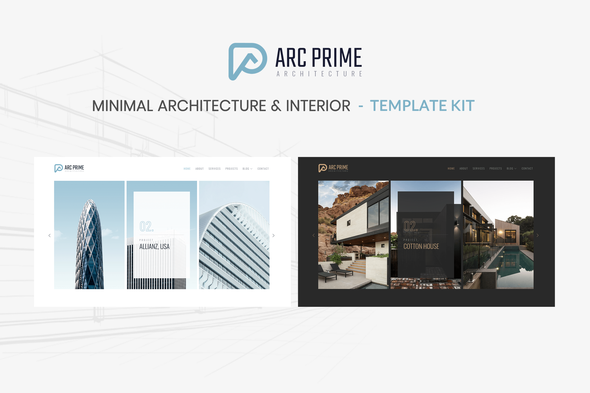
Arc Prime – Architecture & Interior Template Kit is perfect if you like a minimal, clean and modern design. This Template Kit is ideal for architecture companies, interior studio, construction, furniture and those who need an easy, attractive and effective way to share their work with clients.
This is an Elementor Template Kit, not a WordPress Theme. We recommend installing Hello Elementor Theme from Appearance > Themes >Add New in WordPress before using this kit
Features
- True no-code customization with drag and drop visual builder
- Customize fonts and colors in one place or fine-tune on individual elements
- Modern, professional design
- Fast-loading
- Works with most Elementor themes.
Required Plugins (installed with kit)
- Elementor
- ElementsKit Lite
- MetForm –
How to Install:
- Install and Activate the “Envato Elements” plugin from Plugins > Add New in WordPress
- Do not unzip
- Go to Elements > Installed Kits and click the Upload Template Kit button.
- Before importing a template, ensure the Install Requirements button is clicked to activate required plugins
- For best results, do not import more than one template at a time.
- Go to Pages and create a new page and click Edit with Elementor
- Click the gear icon at lower-left of the builder to view page settings and choose Elementor Full Width and hide page title
- Click the gray folder icon to access My Templates tab and then Import the page you’d like to customize
For further support, go to Elementor > Get Help in WordPress menu.
How to Import Metforms
- Import the metform block templates
- Import the page template where the form appears and right-click to enable the Navigator
- Locate and select the Metform widget and click Edit Form. Choose New, then Edit Form. The builder will appear
- Click ‘Add Template’ grey folder icon.
- Click ‘My Templates’ tab.
- Choose your imported metform template, then click ‘Insert’ (click No for page settings).
- Once the template is loaded, make any desired customizations and click ‘Update & Close’ The form will appear in the template
- Click Update
Setup Global Header and Footer in Header Footer & Blocks plugin
- Import the header and footer template
- Go to Appearance > Header Footer and click Add New button
- Give it a title and select Header, Display on Entire Site and click Publish
- Click Edit with Elementor
- Click the gray folder icon to access My Templates tab and select the header template to import and Update.
- Repeat for Footer
How to Setup Slides & Tabs 1.Import the slide/tab block.You may import more than once and find copies under Templates > Saved Templates to customize. 2.Import the template where the slides/tabs appear. 3.Right click the page to open the Navigator and locate the Carousel or Tabs widget 4.Select the slide or tab template from the dropdowns on the general tab of the element options.
This Template Kit uses demo images from Envato Elements. You will need to license these images from Envato Elements to use them on your website, or you can substitute them with your own.Reviews (0)
Customer feedback for Arc Prime – Architecture Elementor Template Kit
No reviews yet. Be the first to review!
Leave A Review
Support
This author's response time can be up to 1 business day.
Supported
Popular question for this item
Missing style sheet error when installing the theme
This usually means the full download package was uploaded instead of the installable WordPress theme file. Extract the downloaded package first, then upload the theme ZIP found inside the package.
Item support includes
- Availability of the author to answer questions
- Technical questions about item features
- Assistance with reported bugs and issues
- Help with included third-party assets
Item support does not include
- Customization services
- Installation services
- Hosting, server, or WordPress maintenance
- Third-party plugin conflicts outside the package
Comments (0)
Buyer questions, presale notes, compatibility requests, and author replies.