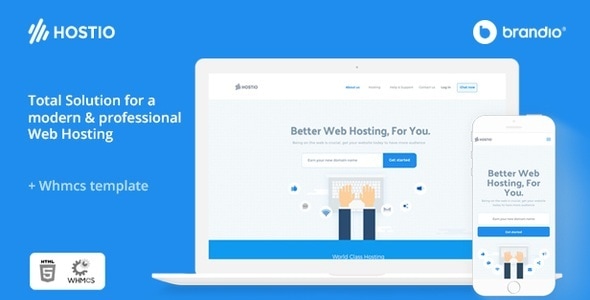
HOSTIO is a readymade Web Hosting & WHMCS WordPress Theme for immediate use — created as straight forward as it can be. It’s built with modern and contemporary ui design.
We built this theme on Page Builder, a very convenient drag-n-drop PageBuilder for WordPress. It should provide you with the smoothest experience while creating your website with our theme. The WordPress theme is responsive, you can view it also in the mobile/tablets devices and it looks very in more devices.
Features
- Easy setup with Demo Content.
- Unlimited Color Styles
- Blog Single Page
- Animate any Elements
- Responsive layout
- Retina Ready
- Unique design
- Single Page Project
- Contact Form 7
- jQuery Enhanced
- Easy Setup
- Very Clearly Documentation (Step by Step)
- Support 24/7
Reviews (0)
Customer feedback for Hostio Web Hosting & WHMCS WordPress Theme
No reviews yet. Be the first to review!
Leave A Review
Support
This author's response time can be up to 1 business day.
Supported
Popular question for this item
Missing style sheet error when installing the theme
This usually means the full download package was uploaded instead of the installable WordPress theme file. Extract the downloaded package first, then upload the theme ZIP found inside the package.
Item support includes
- Availability of the author to answer questions
- Technical questions about item features
- Assistance with reported bugs and issues
- Help with included third-party assets
Item support does not include
- Customization services
- Installation services
- Hosting, server, or WordPress maintenance
- Third-party plugin conflicts outside the package
Comments (0)
Buyer questions, presale notes, compatibility requests, and author replies.