People rarely browse law firm websites for fun. They arrive with a problem, often a stressful one, and they want to know three things quickly: does this firm handle my kind of case, can I trust them, and how do I get in touch without committing to anything yet.
This guide covers how to plan a law firm website in WordPress around those questions: the pages to create, the features worth adding, the professional rules to check before publishing, and how to choose a theme. It is written for small and mid-sized firms and the people who build their sites.
This is not legal advice. Advertising rules for lawyers differ by country and by state or bar. Check every claim on the site against the rules that apply to you.
Start with a page plan, not a theme
Decide what the site must contain before you look at designs. A theme that looks impressive but has no good layout for practice areas will cost more time than it saves.
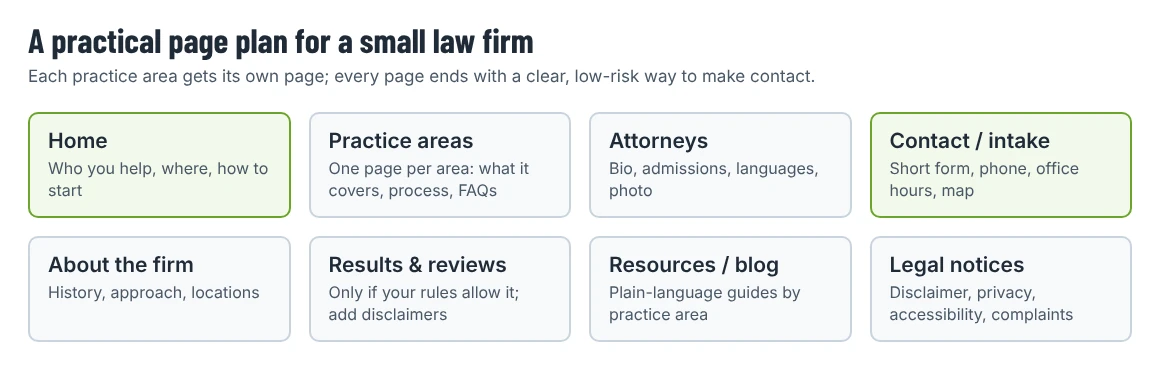
Home
Say who you help, with what, and where, in the first screen. “Employment law for employees in Manchester” is more useful to a visitor than a slogan. Add one clear call to action (call, book a consultation, send a short enquiry) and show it again near the bottom of the page.
Practice area pages
Give each practice area its own page rather than a single list. Each page should explain:
- What situations the area covers, in plain language.
- What working with the firm looks like (first meeting, documents to bring, typical stages).
- Who at the firm handles it.
- A short FAQ based on questions clients actually ask.
Separate pages also help search engines understand what you do; “personal injury lawyer” and “estate planning lawyer” are different searches.
Attorney or solicitor profiles
Include a professional photo, admissions or qualifications, practice areas, languages spoken and a short, factual biography. Keep awards and memberships verifiable.
Contact and intake
Keep the first enquiry form short: name, contact details, practice area and a brief, optional description. Two points matter more on a law firm site than elsewhere:
- Tell people not to send confidential details through the form, and say that sending a message does not create a lawyer–client relationship.
- Send form emails securely and store as little as possible. Check where your form plugin keeps submissions, who can see them in the dashboard and how long they are kept.
Supporting pages
An About page, a resources or blog section with plain-language guides, and the legal pages you need: privacy policy, cookie information where required, terms of use, and any regulatory information your regulator expects (for example complaints procedures or registration details).
Features worth adding
| Feature | Why it helps | How to add it in WordPress |
|---|---|---|
| Click-to-call buttons | Many first contacts come from phones | A button block or theme button linking to tel: |
| Consultation booking | Lets people pick a time without phoning | A booking plugin or an embedded scheduling tool |
| Office locations with maps | Builds trust for local searches | A map embed per office; consistent name, address and phone on every page |
| Structured data | Helps search engines read your firm’s details | LegalService (a LocalBusiness type in schema.org) through an SEO plugin or theme |
| Multilingual pages | Many firms serve clients in several languages | A translation plugin; translate practice area pages first |
| Accessibility basics | Clients include older people and people with disabilities | Good contrast, readable font sizes, labeled form fields, captions on video |
On structured data: Google’s documentation asks you to use the most specific LocalBusiness subtype available, and schema.org lists LegalService (with Attorney and Notary as more specific types) for law firms.
Rules to check before you publish
Lawyer advertising is regulated, and a website counts as advertising in most places. A few examples of how that shows up:
- In the United States, the ABA Model Rules of Professional Conduct, which most states use as a basis for their own rules, include Rule 7.1: “A lawyer shall not make a false or misleading communication about the lawyer or the lawyer’s services.” State versions can add their own requirements, for example on testimonials or descriptions of past results.
- In England and Wales, the Solicitors Regulation Authority’s Transparency Rules require firms to publish price and service information for certain services they advertise, such as residential conveyancing or probate.
Practical points for the site, whatever your jurisdiction:
- Case results and testimonials: only publish them if your rules allow it, and add any disclaimer your rules require.
- Words like “specialist” or “expert”: some regulators restrict them. Check before using them in headings or page titles.
- Stock photos: don’t present models as your lawyers or clients.
- Blog posts: label them as general information and date them; law changes, and an old article can mislead.
Choosing a theme for a law firm
Look for a theme that already has the page types from your plan. When you compare demos, check:
- Practice area templates: a listing and a single-area page with room for FAQs.
- Team pages: profiles that show qualifications and contact details without heavy animation.
- Typography: long-form text should be easy to read; legal content is text-heavy.
- Forms: compatibility with a reliable form plugin.
- Speed and restraint: sliders, video backgrounds and animated counters look good in demos but slow pages down and distract from the call to action.
- Maintenance: a recent “last updated” date and clear support terms.
Two Shtheme options
Disclosure: Shtheme publishes this blog; the two themes below are our products.
Lawdit (free). Lawdit is a free Elementor theme designed for law firms, legal consultancies and similar businesses. Its demo menu includes Practice areas, Case Study and Attorneys pages, and the listing mentions 16 homepage versions with one-click demo import.
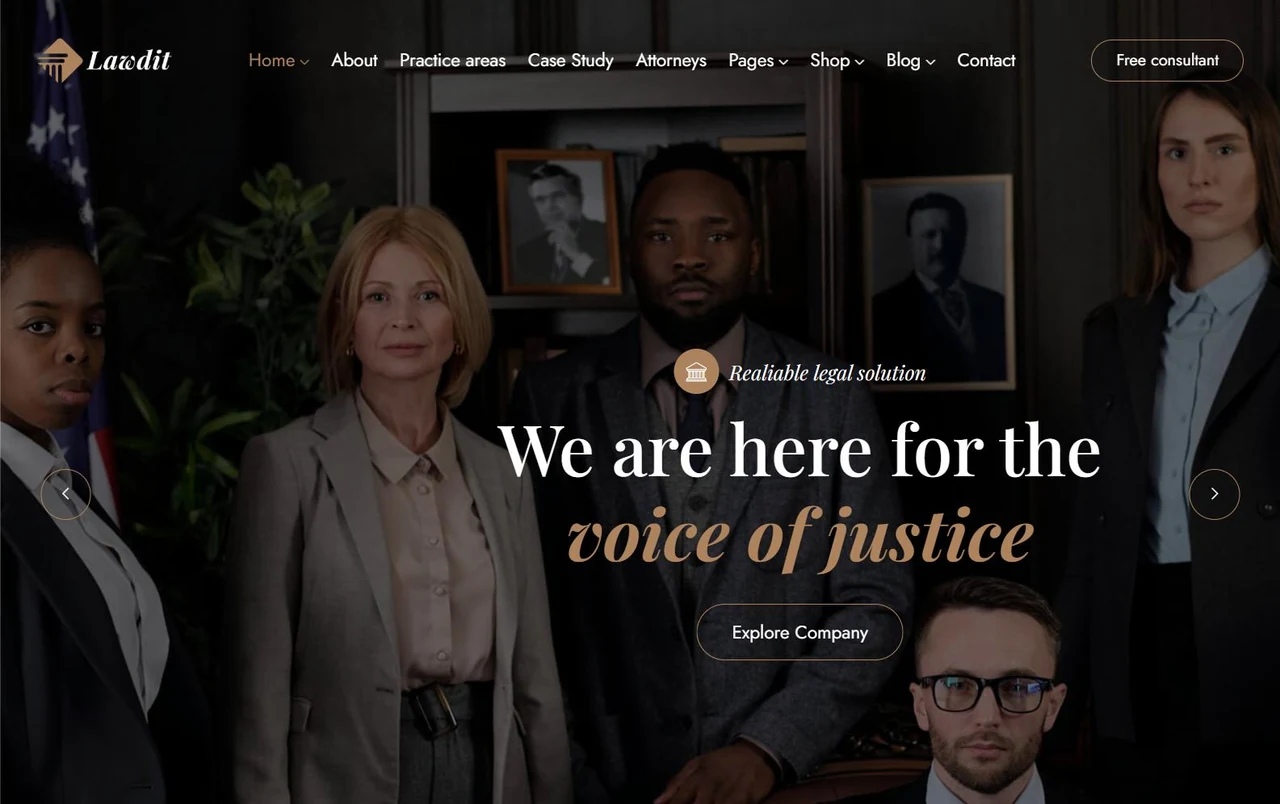
The demo’s hero uses a dark photo background and a “Free consultant” button. If you keep that layout, rewrite the headline and button text for your firm (for example “Book a free 20-minute call”) and check that the button text meets your local rules on advertising free consultations. View Lawdit · Live demo
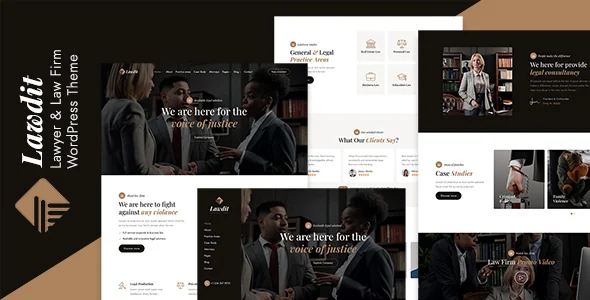
Mcgill (premium). Mcgill is a paid law firm theme (Regular License $129 on its product page when we checked on 2 October 2026). Its listing describes it as suitable for law firms, solicitors, advocates and corporate legal advisers, and the product page lists Elementor, Contact Form 7 and WooCommerce among compatible tools.
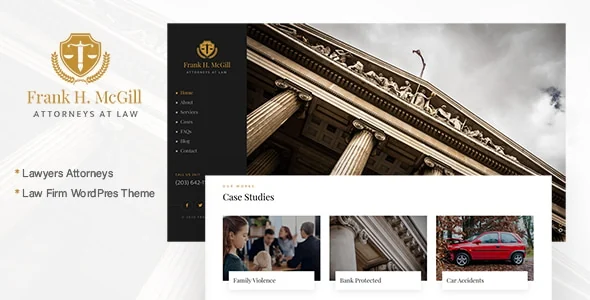
Choose Mcgill if you prefer its more classical visual style or need its specific layouts; choose Lawdit if a free theme covers your pages. Both need Elementor for editing the demo layouts. View Mcgill · Live demo
You don’t have to use an industry theme. A general business theme from our shortlist of free business themes can work well if you build the practice area pages yourself.
Launch checklist
- Every practice area has its own page with a clear next step.
- Each lawyer profile is accurate and approved by that lawyer.
- The contact form warns against sending confidential information and has been tested end to end.
- Privacy policy and required regulatory information are linked in the footer.
- Claims, results and testimonials have been checked against your rules.
- Name, address and phone number match your Google Business Profile and directory listings.
- The site works on a phone, including the booking and call buttons.
Once the structure is in place, the site is mostly maintenance: update attorney profiles, review practice area pages when the law changes, and keep WordPress, the theme and plugins up to date. Our WordPress security checklist covers the settings to review in the first week after launch.