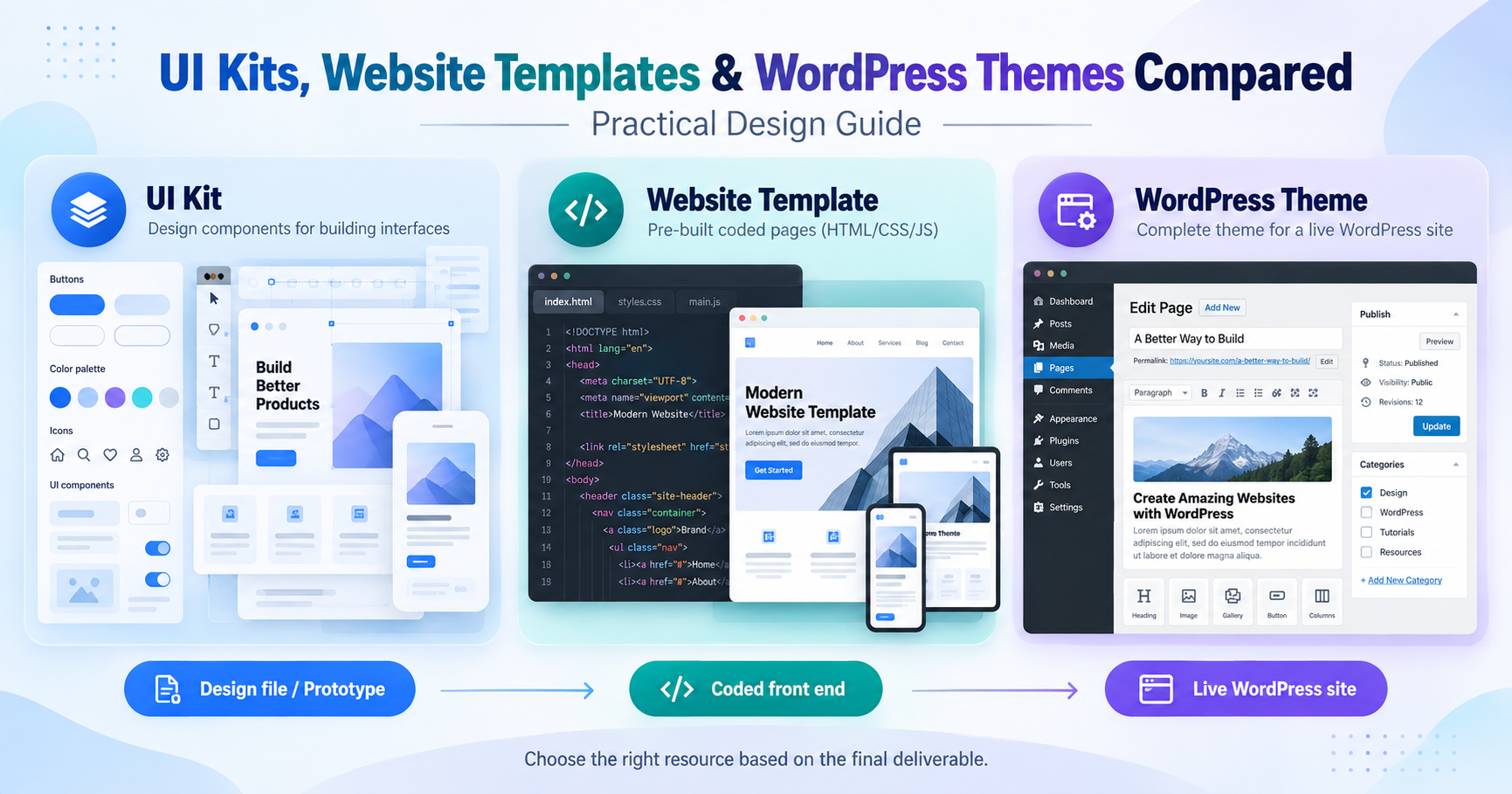
A UI kit, a website template, and a WordPress theme can show similar screens in a preview, but
they belong to different stages of a project. Choosing the wrong one creates avoidable work. The
deciding question is not which preview looks best. It is what must exist when the project is finished.
A UI kit is primarily a design resource. A coded website template supplies front-end files. A
WordPress theme works inside WordPress and follows that platform template, content, and plugin
system.
Use a UI Kit for Interface Design
UI kits usually contain components, screens, styles, and layout patterns in Figma, Sketch, Adobe
XD, or another design tool. They help designers plan flows, establish visual consistency, and build
prototypes before development begins.
A UI kit normally does not produce a functioning public website by itself. Buttons may be interactive
in a prototype, but forms, authentication, search, checkout, and content management still require
implementation. Review the component structure, auto layout, variants, and responsive examples
before adopting a kit.
Use a Website Template for Coded Pages
A website template contains code such as HTML, CSS, and JavaScript, sometimes with a
framework such as React, Vue, Bootstrap, or Tailwind CSS. It can accelerate front-end work when
its structure is close to the required site.
A template may still lack a content management system, database, deployment configuration, or
working backend. Read the documentation and package contents before treating a polished demo
as a complete application. Check the framework version, build commands, browser support, and
included page types.
Use a WordPress Theme for a WordPress Site
A WordPress theme controls presentation within WordPress. It may support the block editor, a
page builder, WooCommerce, or specialist plugins. The theme must be installed on a compatible
WordPress environment, and its demo content may require separate imports or plugins.
Check update history, PHP and WordPress compatibility, required plugins, accessibility,
performance, and how much of the demo depends on bundled assets. A child theme is the safer
place for code changes that must survive future theme updates.
Choose from the Required Deliverable
Pick a UI kit when the next deliverable is a design file or prototype. Pick a website template when
developers need a coded front end. Pick a WordPress theme when editors need to manage a live
WordPress site. Some projects use all three, but each should have a clear role.
Resources on FreeDesignKit can be compared by category and file type, which helps keep design
files separate from coded templates and WordPress packages. Before downloading, confirm that
the selected item matches the team software and the final publishing platform.
Avoid the Preview Trap
A strong preview can hide missing states, weak mobile behavior, or outdated dependencies.
Examine the files, documentation, components, and supported versions. The best choice is the
resource that reduces the next stage of work without creating a larger migration later.
The WordPress Theme Handbook shows why a WordPress theme is more than a visual template.
A modern block theme has a defined file structure, including required style and template files, plus
optional parts, patterns, and assets. A static website template or UI kit does not provide that
publishing system by itself.
Match the Resource to the Deliverable
Choose from the final handoff backward. A designer preparing screens and a prototype needs
editable components. A developer building a front end needs code, responsive behavior, and
documented dependencies. A site owner managing posts and pages needs a theme that works
with the installed WordPress version and editing model.
Before downloading, inspect the actual included files rather than the preview labels. Confirm the
software, framework, license, update history, and documentation. When a project uses more than
one resource type, name the role of each package so the team does not mistake a visual reference
for production code.